Onboarding on phones: can we test it automatically?
Proof of concept run against beta.currencytransfer.com on 9 Sep 2026, following the weekly dev call. Internal, not indexed.
1. What the run found
Bug A: phone country-code dropdown is unstyled and the page jumps to the top
Tapping the flag/chevron on the telephone field on any mobile profile inserts a 4,900px tall bulleted list into the page and scrolls the viewport to the top of the form. The list still works if you can find the item you want, which is why the flow is "possible but takes an hour" when Tom sits with a client.
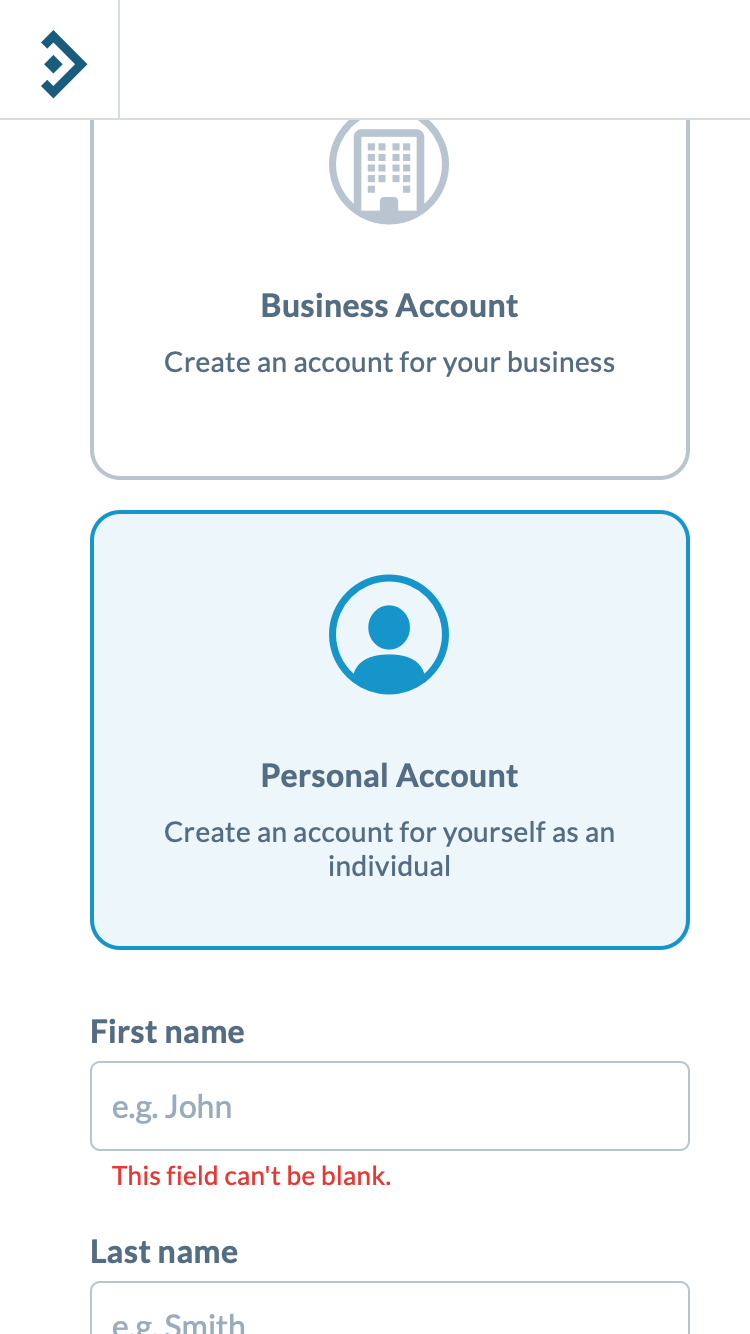
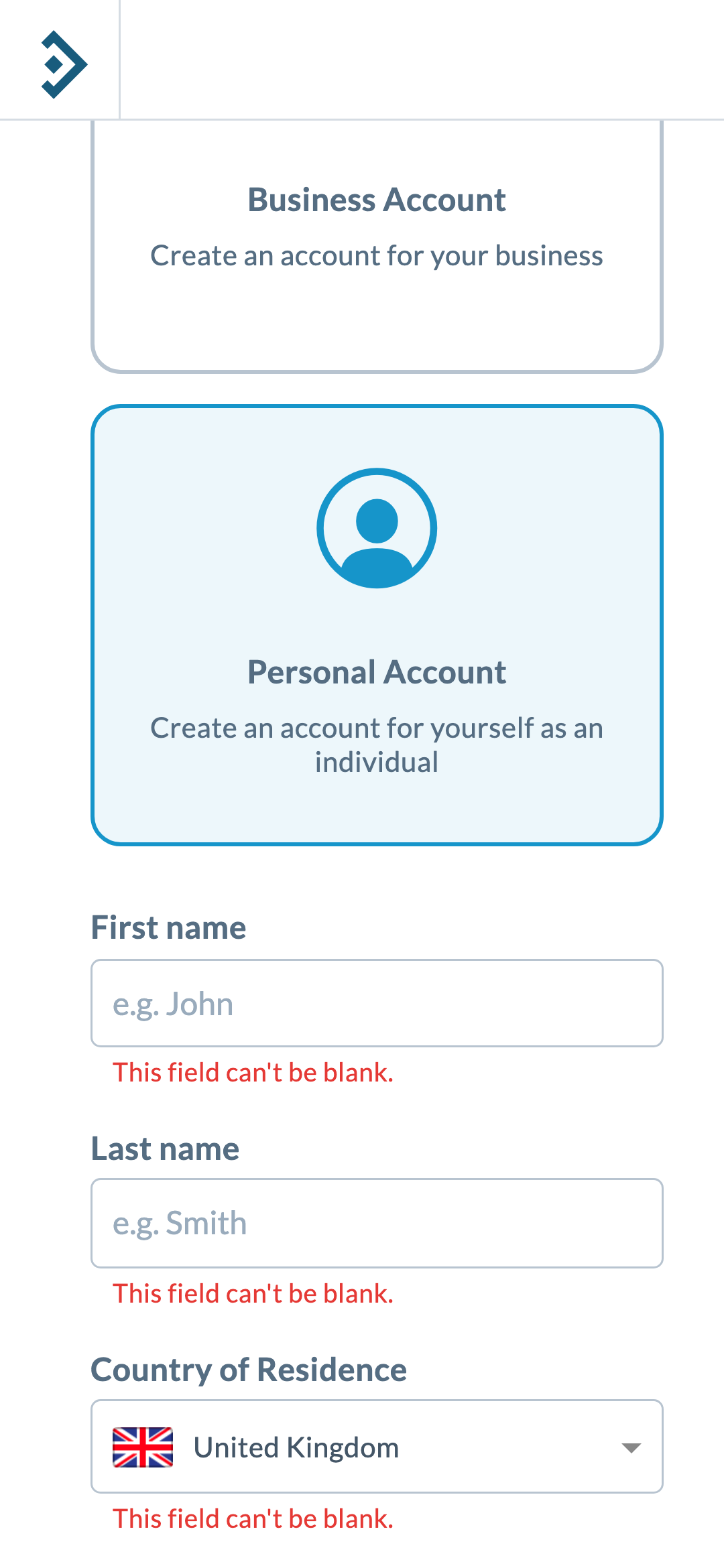
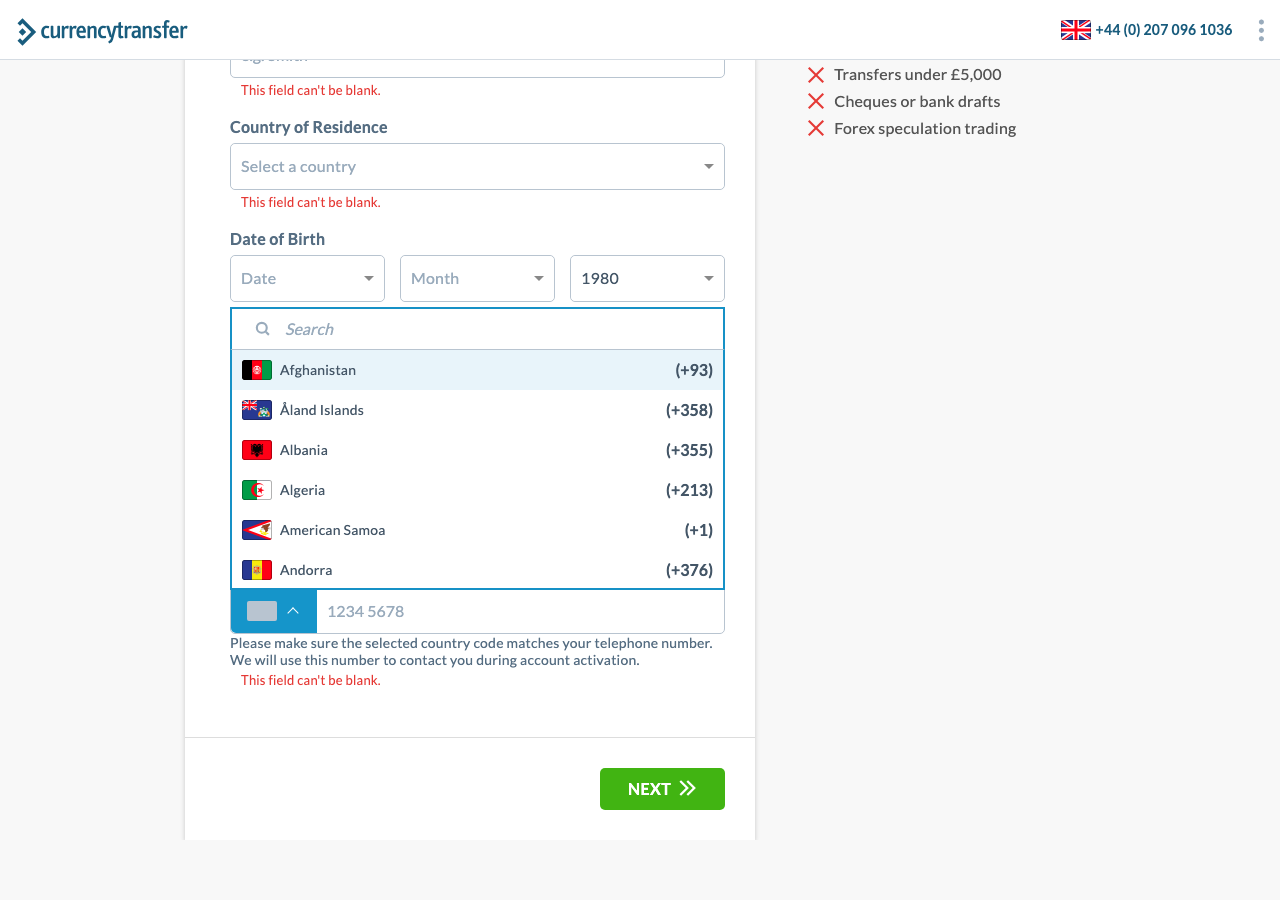
Root cause, verified in the DOM. On a mobile user agent, intl-tel-input switches to its "fullscreen popup" mode and moves the dropdown out of the component into <body> (parent chain: .iti--container.iti--fullscreen-popup → body). Every intl-tel-input rule shipped on beta is prefixed with the Angular component selector, for example ct-phone-input-field .iti__dropdown-content, because the library CSS is included in the component's own styles with emulated view encapsulation. Outside the component nothing matches, so the list gets position: static, list-style: disc, no height limit, and no z-index. Desktop keeps the dropdown inline inside the component, so it is styled.
Fix options, in order of effort: (1) load the intl-tel-input stylesheet globally instead of inside the component, a one-line change; (2) initialise with useFullscreenPopup: false so mobile behaves like desktop; (3) the rebuilt in-house component Deyan is planning. Option 1 or 2 can ship this week and reproduces in Chrome DevTools device mode, so no phone is needed to verify it.
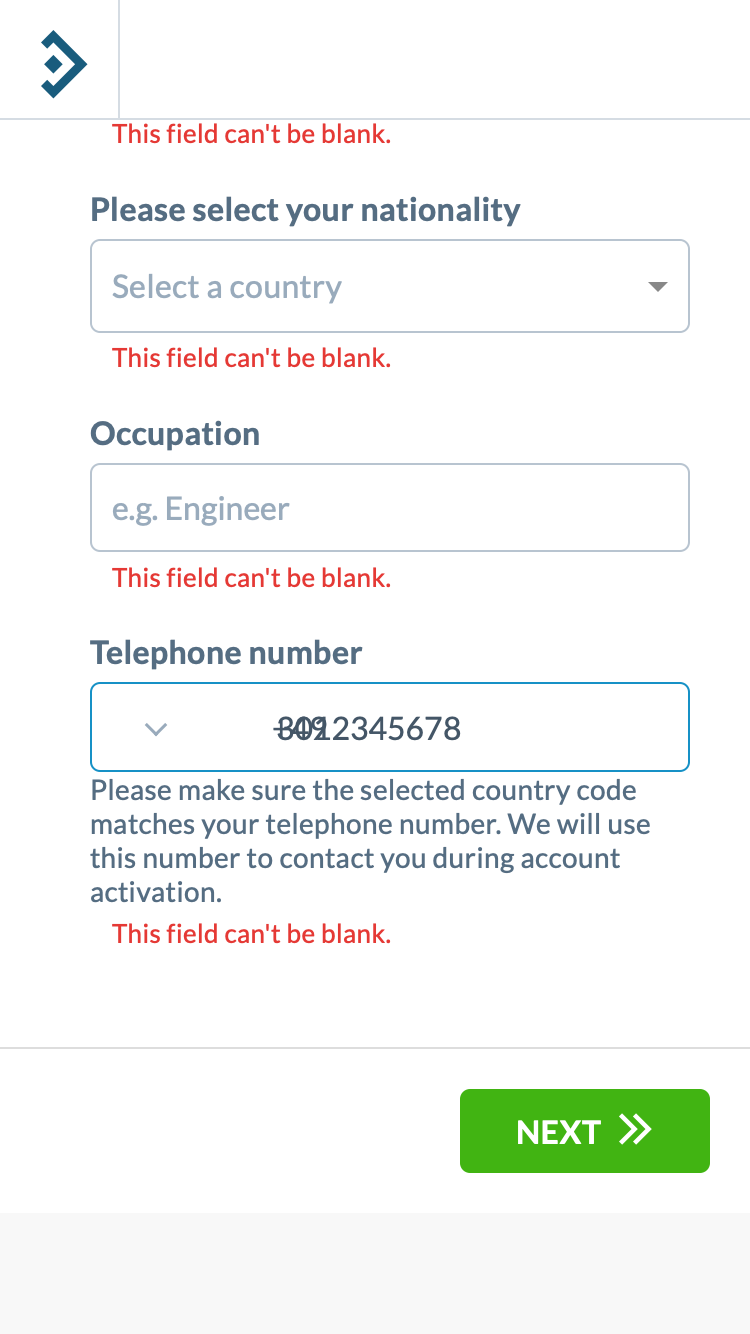
Bug B: the dial code is drawn over the number you type
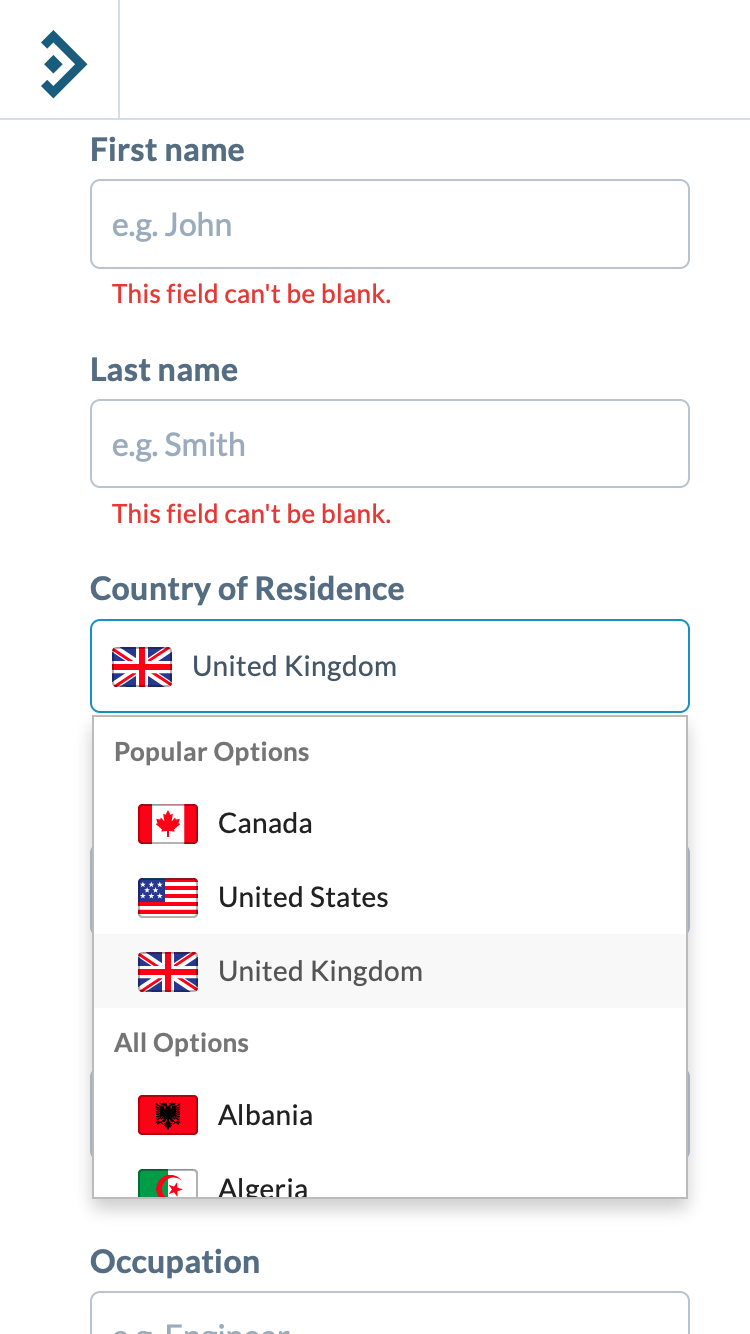
Bug C: iOS zooms in when you tap a dropdown
iOS Safari zooms the page when a focused input has a font size under 16px. Measured on beta: text inputs 16px, telephone input 16px, but the search inputs inside every ng-select (country of residence, date of birth, nationality) are 14px. That is Phil's "it zooms in when I click into any drop-down". Emulation cannot show the zoom itself, so the test asserts the cause instead of the symptom. One CSS rule fixes it.
Behaviour D: dial code follows country of residence, then flips back when the number is cleared
| Step | Dial code shown | Comment |
|---|---|---|
| Select residence Argentina, phone empty | +54 | expected |
| Change residence to Australia, phone empty | +61 | follows residence, as agreed on the call |
| Type 412345678, change residence to UK | +61 | keeps the code once digits exist, as agreed |
| Delete the digits | +44 | re-syncs to residence. Stevan flagged this as unexpected; product decision needed |
Identical on all four profiles. The test pins today's behaviour so that whichever decision the team makes shows up as a deliberate change rather than a surprise.
2. Can an AI "see" the problems? Yes, with caveats
The nine iPhone SE and Galaxy S24 screenshots were handed to Claude with only a generic rubric ("report anything a real user would experience as broken") and no description of the known bugs. It returned 20 findings. Scored against what I could verify in the DOM and screenshots:
| Severity | Judge finding | Verdict |
|---|---|---|
| blocker | Tapping the phone selector jumps the page away; the thing tapped is no longer visible (iOS and Android) | Correct. Bug A |
| blocker | "+49" overlapping the typed number, unreadable | Correct. Bug B |
| major | Every field on the details step already shows "This field can't be blank" on arrival | Correct, and also true on desktop. Worth a Jira ticket |
| major | "Can't be blank" still shown under the phone field after a number was entered | Visible in the screenshot. Needs a human check that it is not an artefact of scripted typing |
| major | No feedback after pressing Next with empty fields, no scroll to first error | Plausible UX point |
| major | Header bar floating mid-page with a clipped logo, covering content | False positive. Artefact of stitching a fixed header into a full-page screenshot. The judge now only receives viewport screenshots |
| major | Country dropdown covers the fields below and clips its last row | Normal dropdown behaviour. Over-reported |
| minor | Phone selector shows an empty grey box, no flag, before and after choosing a country | Correct on mobile (same root cause as A) |
| minor | Email value runs under the envelope icon on the sign-up form | Correct, cosmetic |
| minor | No search box on the country list | Wrong: ng-select searches as you type, which a screenshot cannot show |
| cosmetic | Green NEXT vs blue primary buttons; "Sign in" chip styling; label spacing | Opinions. Ignore or feed to design |
Read of the result. The judge catches everything that matters and adds noise around it. It is ready to use as a triage layer that fails the build on blockers and posts the rest for a human to skim in 30 seconds. It is not ready to be the only gate. Its precision improves a lot with two cheap steps that are now in the script: viewport-only screenshots, and a caption on each screenshot saying what the test just did.
3. The proposed process
| Layer | Catches | Runs | Cost | Owner |
|---|---|---|---|---|
| 1. Playwright on emulated phones 2 iOS (WebKit) + 2 Android (Chromium) profiles, plus desktop | Functional and geometry regressions: dropdown hidden or unstyled, page jumps, dial-code logic, typed text overlapping, inputs that will trigger iOS zoom, happy path through sign-up | Nightly and on every beta deploy, from GitHub Actions | Free | Toma |
| 2. Claude judge screenshots + captions → structured findings | Anything that looks wrong and nobody wrote an assertion for | After every layer-1 run | About 5 to 10 cents per run | Toma |
| 3. Real devices same spec, BrowserStack or LambdaTest endpoint | Real iOS Safari and Samsung Internet quirks that emulation cannot show: keyboard covering inputs, actual zoom, 100vh, memory pressure | Weekly and before a production release | From ~$175/mo | Deyan (already has BrowserStack for manual repro) |
| 4. Session replay PostHog, free tier | Real clients failing in ways nobody predicted. Filter by device, screen size, and rage clicks, then hand the recording to layer 1 as a new test | Always on, on beta and production | Free up to 5,000 recordings a month, EU hosting, inputs masked client-side | Phil (he is already chasing the marketing agency's recorder) |
Keeping the tests current when the design changes
This was Toma's main objection and it is fair. Two answers. First, the tests assert behaviour and geometry (is the panel positioned, does it fit the viewport, is it the topmost element, did the page scroll), not pixels, so a restyle does not break them; only a change in flow does. Second, Playwright now ships its own agents (planner, generator, healer) that run inside Claude Code. When a step changes, the healer replays the failing test against the new UI and proposes the locator patch; a developer reviews it. The judge needs no maintenance at all because it has no expectations, only a rubric.
Sign-off works the way Stevan described on the call: when a new onboarding version is approved on beta, that run's screenshots become the reference set, and the judge is additionally asked "did anything change versus the reference that was not intended?"
Suggested first two weeks
- Deyan: ship the one-line CSS fix (global intl-tel-input stylesheet or
useFullscreenPopup: false) and the 16px rule for ng-select inputs on this beta build. Verify in DevTools device mode. Tell Tom the same day. - Toma: put
ct-onboarding-qain the CT GitHub org, addANTHROPIC_API_KEYas a secret, enable the nightly workflow, wire the beta deploy to trigger it. Extend the spec to the business flow and to the document-upload step once that branch merges. - Team: decide behaviour D, then flip the assertion.
- Phil: PostHog session replay on beta (free) and ask the agency for access to the recordings of Tom's two clients. Match by account email and date.
- Deyan: run the same spec on BrowserStack against a real iPhone and a real Samsung once, to see what emulation missed. Decide on the subscription after that.
4. Options if you would rather buy than build
Researched 9 Sep 2026 against vendor pages. Prices are entry tiers and change often; anything marked * was not confirmable on the vendor's own site.
| Service | What it is | Real iOS Safari via Playwright | Real Android | AI judges screenshots | Entry price | Fit |
|---|---|---|---|---|---|---|
| BrowserStack Automate | Real device cloud; runs your Playwright suite unchanged. Official MCP server (Claude Code can drive it). Percy for visual diffs | Yes, since Jun 2025. Some API limits: no XHR events, one page per session | Yes (Chrome). Samsung Internet only via Live/Appium | No (Percy is baseline diff) | $175/mo Desktop & Mobile, 1 parallel, annual | Best real-device add-on for the spec above |
| LambdaTest (now TestMu AI) | Same category. Hosted MCP server, SmartUI visual diffs, KaneAI natural-language authoring | Yes, since Jul 2025 | Yes | Partial (SmartUI summaries) | $199/mo real devices; SmartUI $199/mo | Equivalent to BrowserStack, publishes prices |
| Momentic | Natural-language tests stored in your repo, self-healing, multimodal "assert what the user sees" | No, emulated device profiles only | Emulated | Yes | Free tier, then $125/mo | Closest packaged version of layers 1+2 |
| testRigor | Plain-English tests; has a genuine check page for UI errors step with severity grading | Via BrowserStack/LambdaTest | Same | Yes | $300/mo | Good, pricier |
| Autify | No-code AI test agent, documents real iOS and Android device browsers | Yes | Yes | Partial | $99/mo annual | Cheapest real-device path if the team prefers no-code |
| QA Wolf | Managed service: their engineers write and maintain the suite, human-verified bugs land in Jira | Yes | Yes | Humans | ~$8k/mo* managed; self-serve per credit | Solves it completely at a price that does not fit yet |
| Applitools Eyes | Visual AI baseline diffing across dozens of browser/device renders | iOS via simulator | Emulated | No (CV diff, not judgement) | $667/mo* annual on vendor page; third parties claim $99 | Mature but expensive for this |
| Meticulous | Records real sessions on beta, replays them on every PR as visual tests. No tests to write | No | No | No | Not published | Clever, but mobile support undocumented |
| Mabl | Low-code AI tests; the only one that auto-creates a GitHub issue on regression | No, emulated only | Emulated | No (visual = warning only) | Not published | Middle of the pack |
| Octomind | Shut down May 2026, domain no longer resolves. Do not evaluate. | |||||
| Sauce Labs | Real devices via Appium only; Playwright is desktop-only there | No | No | No | ~$199/mo* | Wrong shape for a Playwright suite |
What about computer use, or a fully autonomous agent?
Not needed and not the right tool. Anthropic's computer-use tool clicks by pixel coordinates from screenshots; the docs themselves warn about click accuracy on downscaled images and 1,000 to 1,800 tokens per screenshot. Playwright already clicks deterministically and gives us the DOM facts. The model earns its keep as the reviewer of screenshots, not as the driver. The one place an agent is worth it is writing and repairing the tests, and Playwright's own agents already do that from Claude Code.
Local alternatives to a device cloud
- Xcode iOS Simulator + safaridriver. Real Safari for that iOS version, free, on the Macs the team already has. It is WebDriver, not Playwright, so it would be a second small suite (or an Appium wrapper). Good for verifying the zoom fix once.
- Playwright's Android support drives real Chrome on a plugged-in Android phone or emulator over ADB with the same API. Still marked experimental. Fine as a smoke test.
5. What is in the repo
~/dev/ct-onboarding-qa/
  playwright.config.ts      4 phone profiles + desktop; swap in a BrowserStack endpoint per project
  tests/onboarding.spec.ts  6 tests: font sizes, residence dropdown, phone dropdown, dial-code logic, overlap, validation
  tests/helpers.ts          sign-up with throwaway account, navigation, dropdown facts (position, z-index, fits viewport, topmost)
  judge/judge.ts            Claude Opus 5 judge: screenshots + captions in, structured findings out, exit 1 on blocker/major
  .github/workflows/nightly.yml   nightly + on beta deploy; uploads report; Jira step is the next addition
  README.md                 how to run, findings, real-device setup
npm install && npx playwright install chromium webkit
npm test                                # ~5 min for all profiles
ANTHROPIC_API_KEY=... npm run judge      # reviews the screenshots
Each test run creates throwaway accounts on beta named stevan+qa-<profile>-<timestamp>@currencytransfer.com. Eleven were created during this proof of concept.